
Supervisor Dashboard
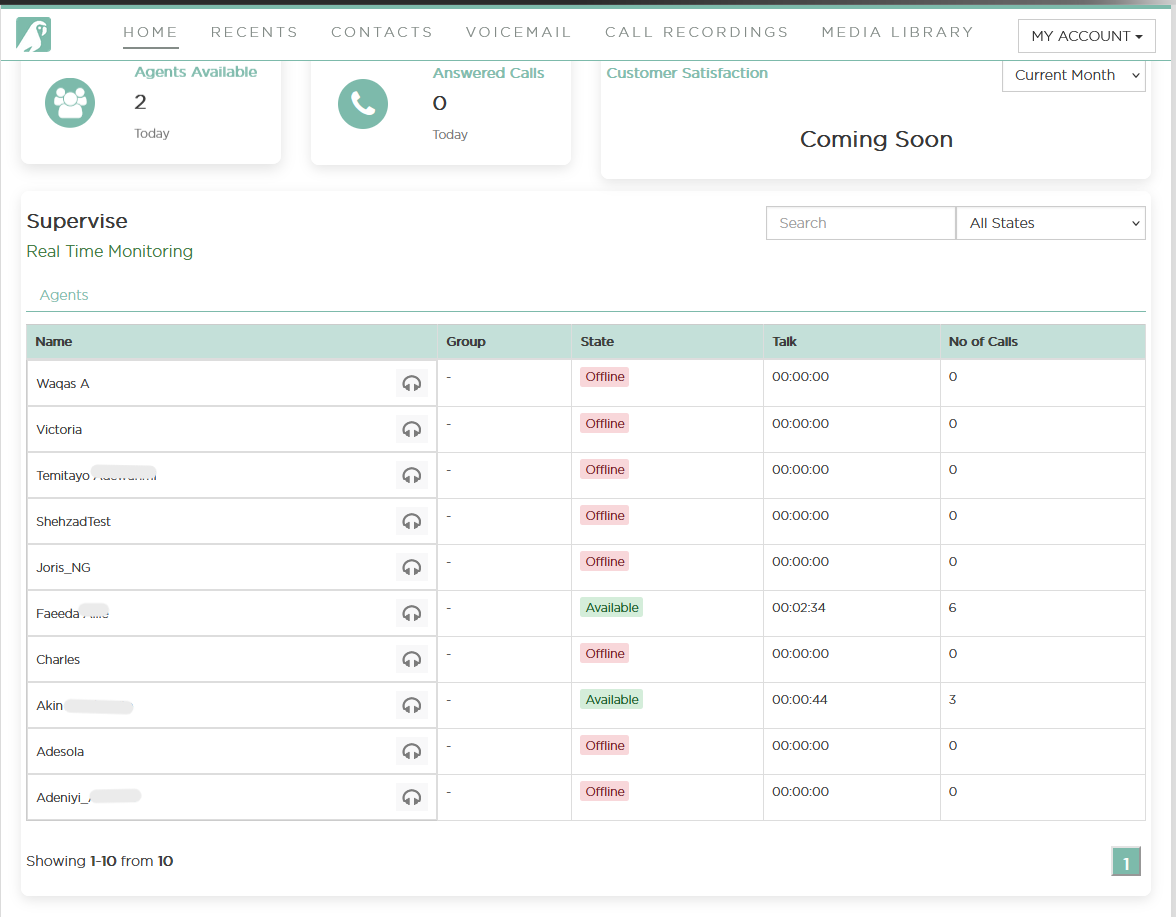
The Supervise section enables supervisors to monitor agent activity in real time, including availability, call status, and performance metrics. This dashboard helps manage team activity, ensure availability, and offer live support to agents as needed.
Supervisor Dashboard Overview
The Supervisor Dashboard provides real-time insights into team performance and agent activity, allowing supervisors to monitor, assist, and manage effectively.
📊 Top-Level Metrics
👥 Agents Available
Shows the number of agents currently marked as Available.
📞 Answered Calls
Total number of inbound calls answered by agents for the day.
⭐ Customer Satisfaction
(Coming Soon) – Placeholder for future customer rating integration.
Agent Monitoring Table
Live updates on each agent’s call status and performance:
Column Description
Name Agent’s full name or username
Group Assigned group (e.g., Sales, Support) – currently unpopulated
State Current availability: Available, Busy, Away, Offline, etc.
Talk Total time spent talking in current session
No. of Calls Total outbound calls made today
🟢 Agent Status Color Indicators
Purple Headset Icon – Agent is on a call
Color changes help supervisors quickly identify live call activity
Call Monitoring Options:
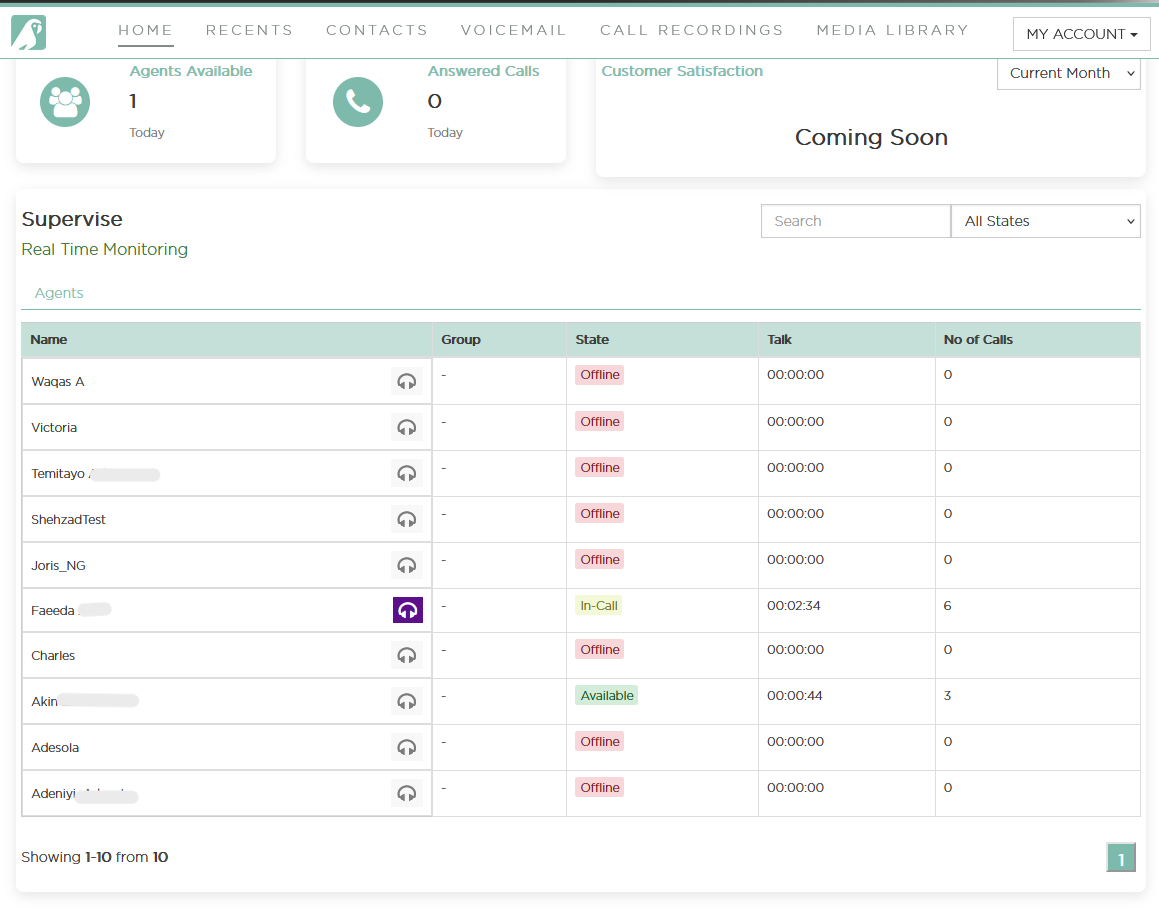
Supervisors have the following call monitoring actions:
🔊 Listen – Passively listen to the agent's call.
🗣️ Whisper – Speak to the agent without the customer hearing.
🚪 Barge – Join the call and speak to both the agent and the customer.
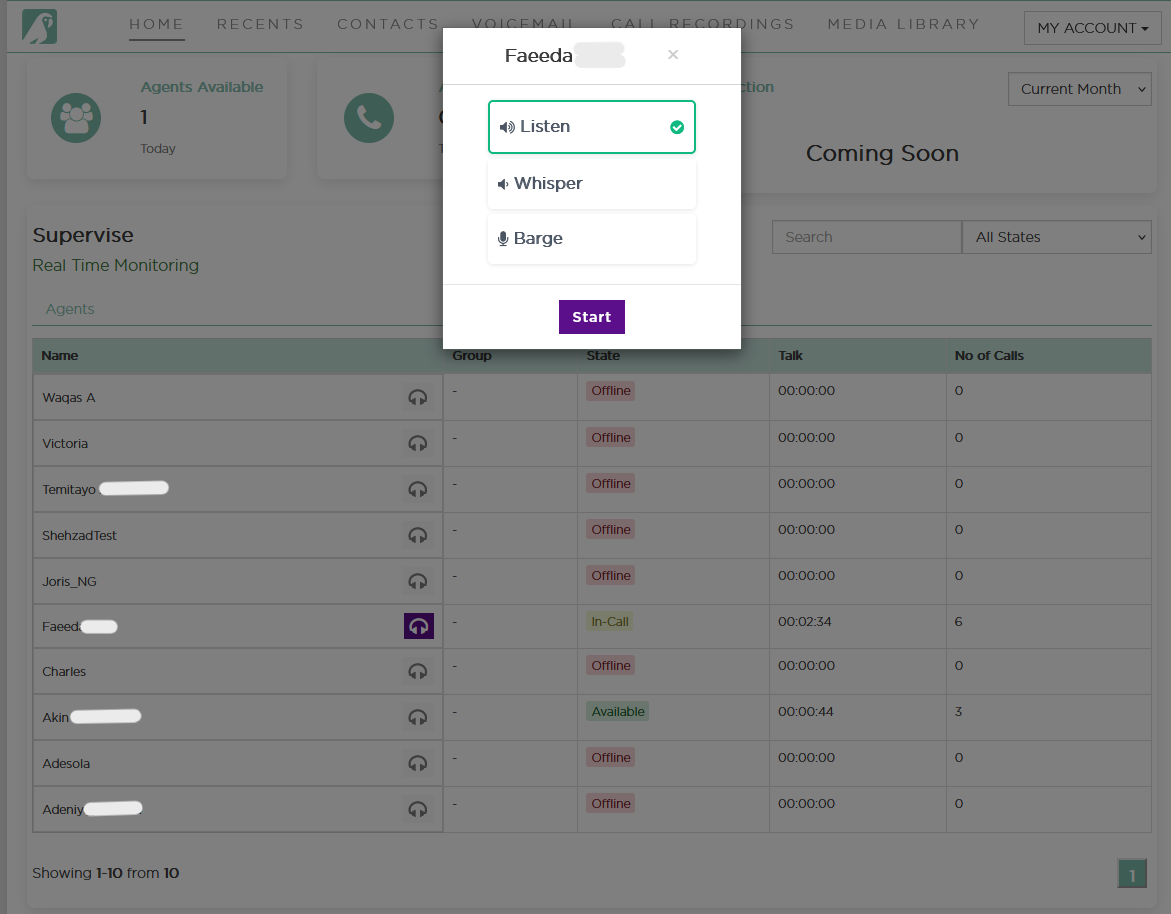
These tools support coaching, quality control, and live intervention.
🔍 Controls & Filters
Search Field:
Quickly find agents by name
Status Filter Dropdown (“All States”):
Filter agent list by:
Available
Busy
In-call
Away
Be Right Back
Offline
Updated about 1 year ago