
How to check or filter abandoned calls
✅ Step-by-Step:
1️⃣ Navigate to the Recent Tab
Log in to your Kasookoo Dashboard
Click on the “Recent” tab from the main menu
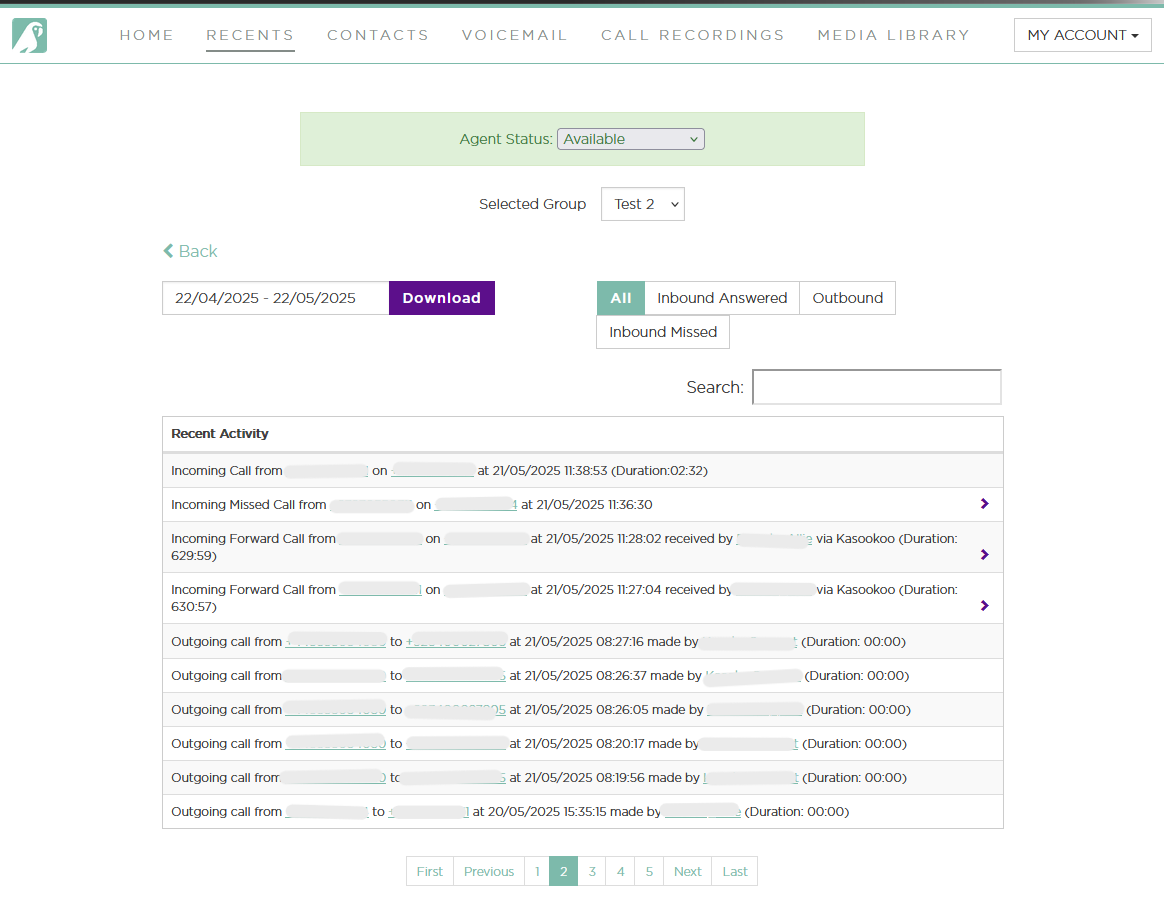
2️⃣ Filter for Abandoned Calls
Use the filter options or tabs at the top of the page
Select or click on “Incoming Missed Call”
(This filter shows all incoming calls that were not answered)
📊 What You’ll See
A list of abandoned calls — calls that:
Were initiated by a customer
Did not get answered
These may include:
Callers who hung up before an agent could respond
Calls that timed out in a queue
💡 Why This Matters
Filtering for missed or abandoned calls helps you:
Identify missed customer opportunities
Spot patterns or gaps in call coverage
Improve team availability and queue configuration
Updated about 1 year ago
Did this page help you?