
Dialer Memo
Dialer instructions
NB!!! Dialer Logins: Email addresses are case-sensitive and must be used exactly as provided.
-
Morning Login: Log out of the dialer and log back in to re-register.
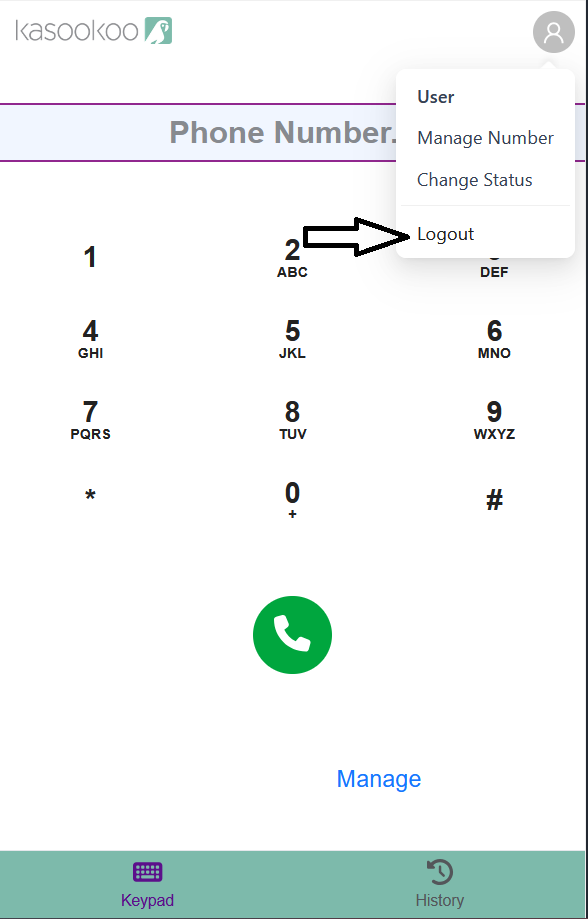
-
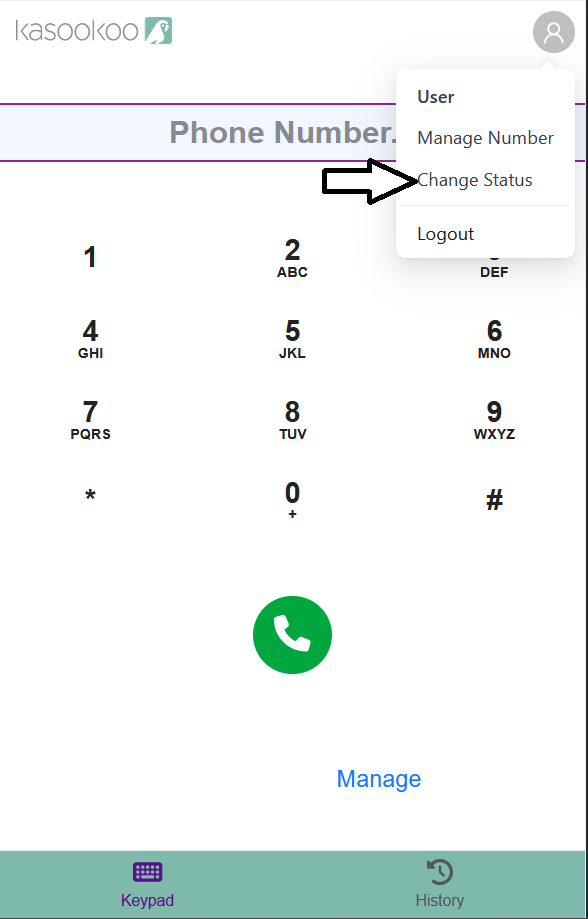
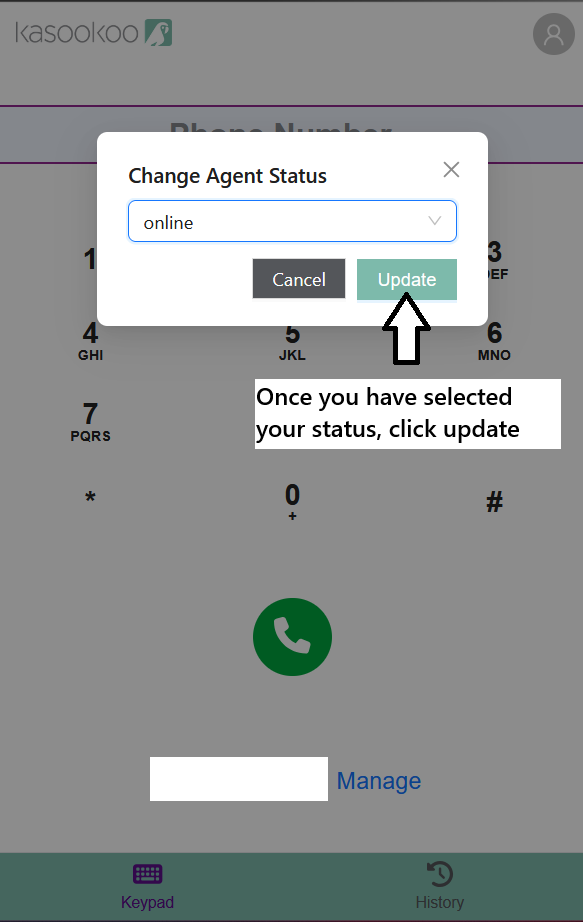
Incoming Calls: Set your status to Available/Online when logging in to receive calls. Update your status accordingly with: Lunch, Tea, Busy with Student, Break, Offline to take you out of the incoming call queue
-
-
Click to Call: Dialer must be open to receive the call. Have the dialer open before clicking on the "Continue" button
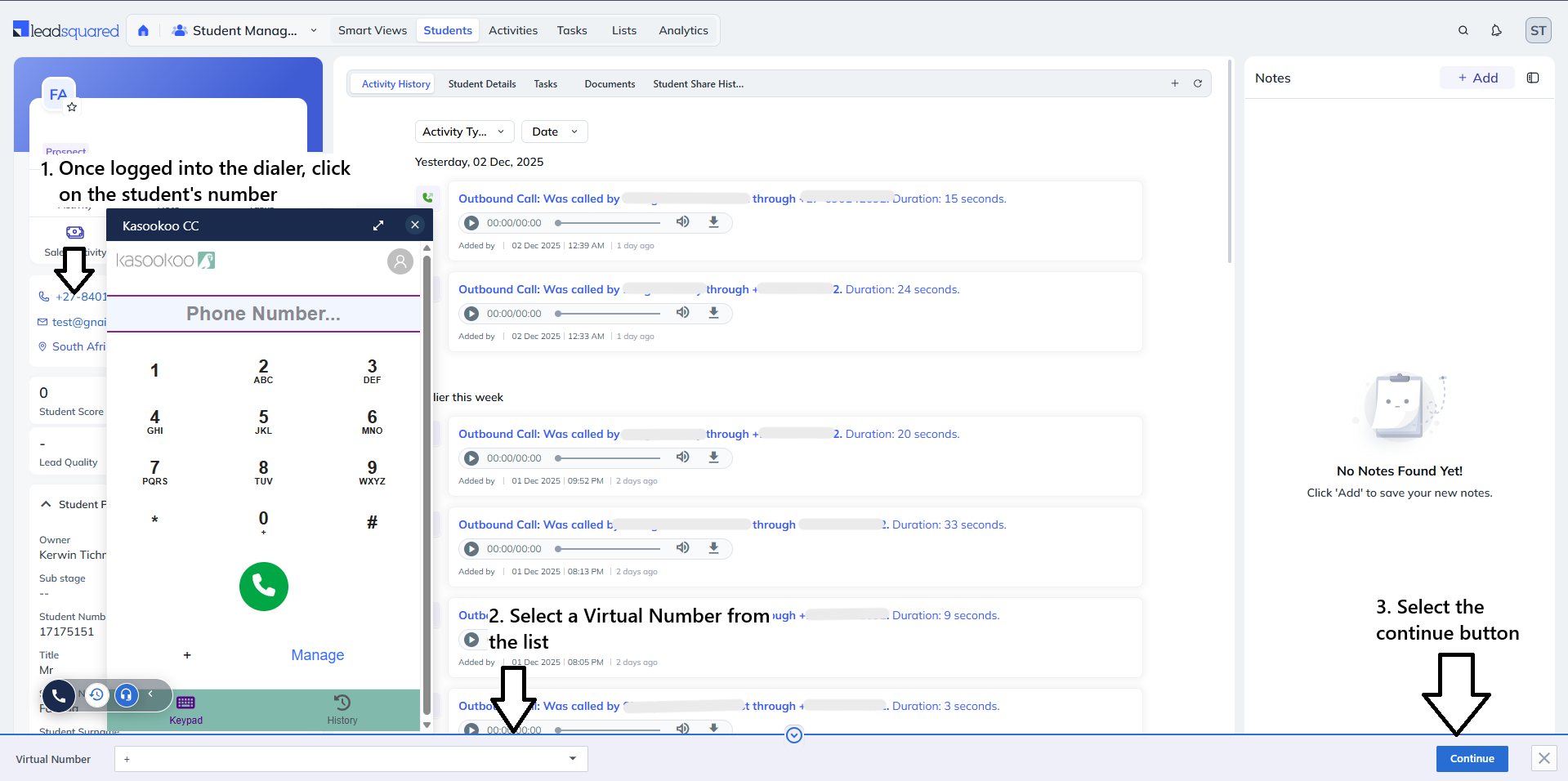
Tabs: Only one LSQ tab should be open at a time.
-
Manual Dialing: Use the format 27xxxxxxxxx (do not use 0xxxxxxxxx or +27xxxxxxxxx).
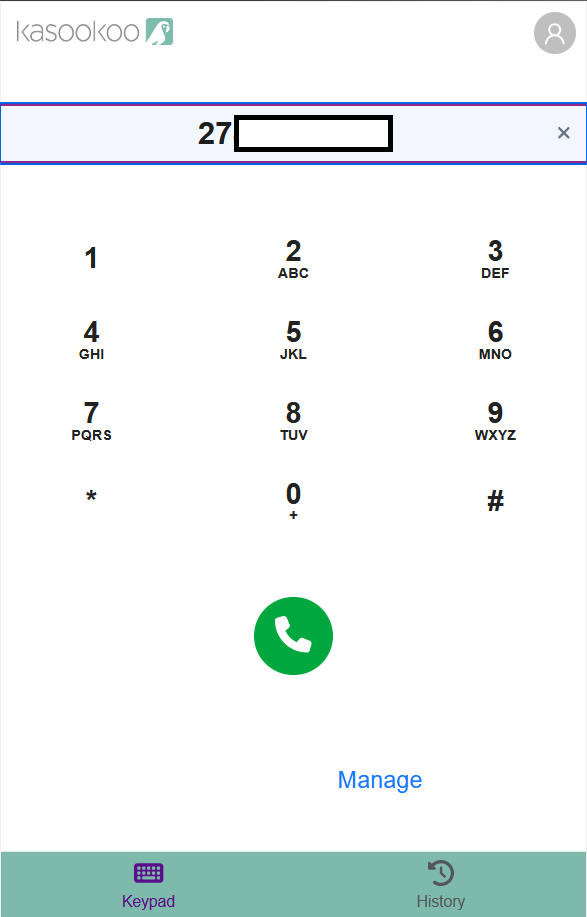
-
Agent Status: Set your status to Available/Online when logging in the morning. Update your status accordingly with: Lunch, Tea, Busy with Student, Break, Offline - this will reflect for the Wallboards
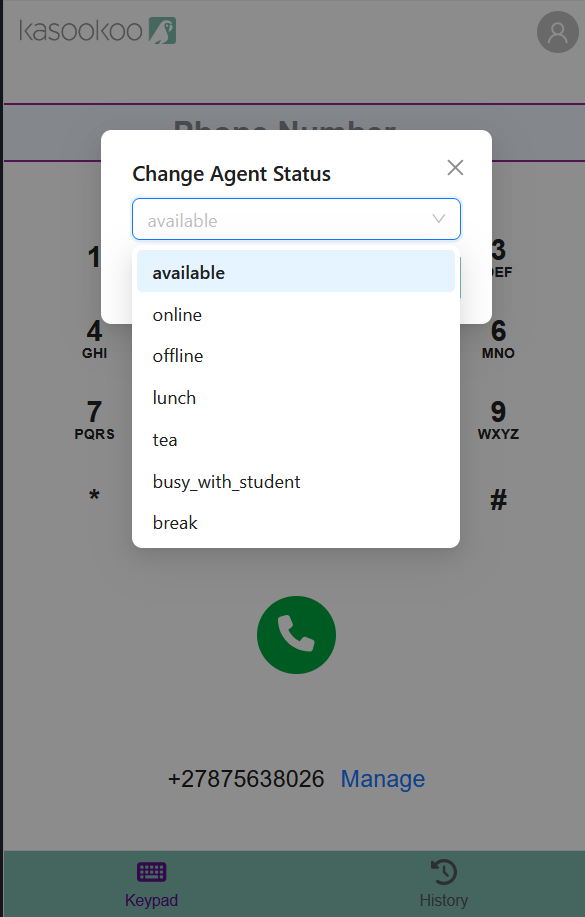
-
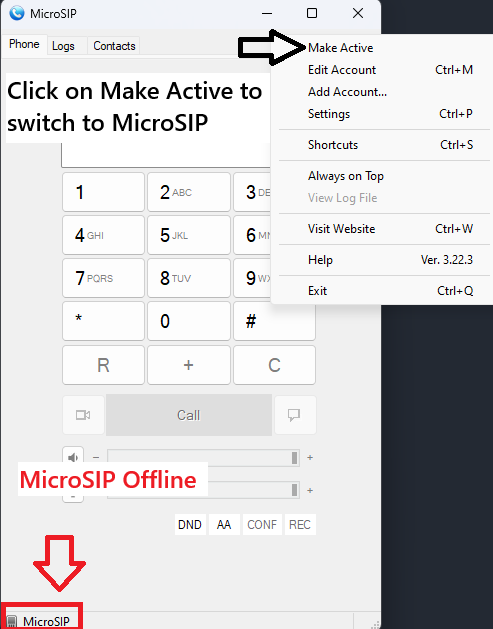
Workaround: If the Kasookoo Dialer is not working, you will use the MicroSip dialer app
Updated 11 months ago