
Change Agent Status
1️⃣ On the main page (keypad)
Open your dialler app and ensure you're on the main screen with the keypad visible.
2️⃣ Tap the user icon
Look for the user/profile icon in the top-right corner and select it.
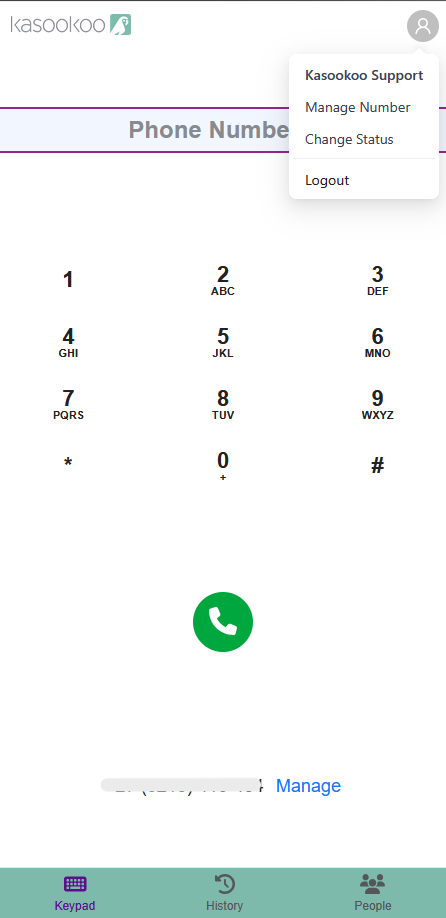
3️⃣ Select Change Status
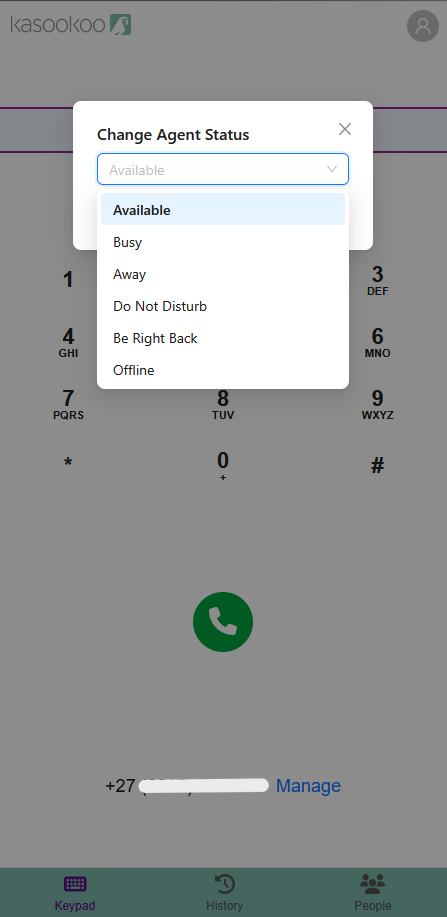
A Change Agent Status box will appear with a drop-down list of statuses.
4️⃣ Select a status
Choose the desired status (e.g., Available, Busy, Away, Do Not Disturb, Be Right Back, Offline) from the drop-down.
5️⃣ Click Update
Select Update to confirm the change.
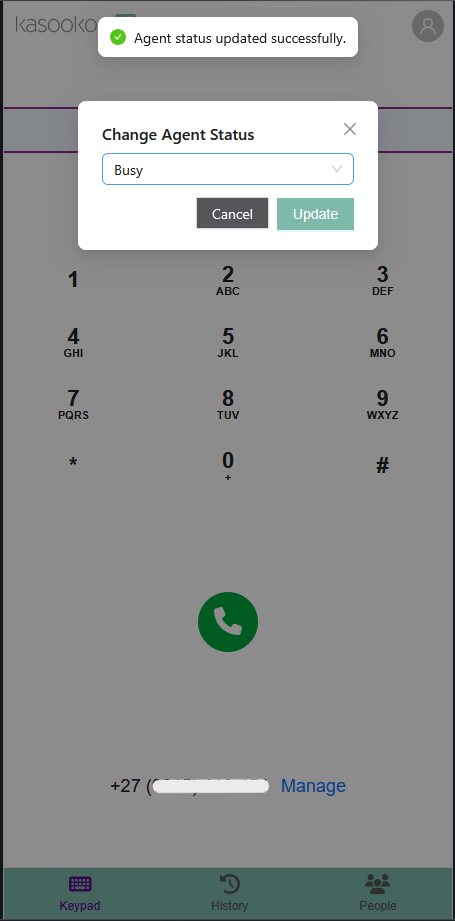
✅ A pop-up message will appear: "Agent status updated successfully."
⚠️ Note: The selected status will affect whether you can receive incoming calls.
Updated over 1 year ago
Did this page help you?