
How to Make a Call
How to make a call using the Kasookoo Widget
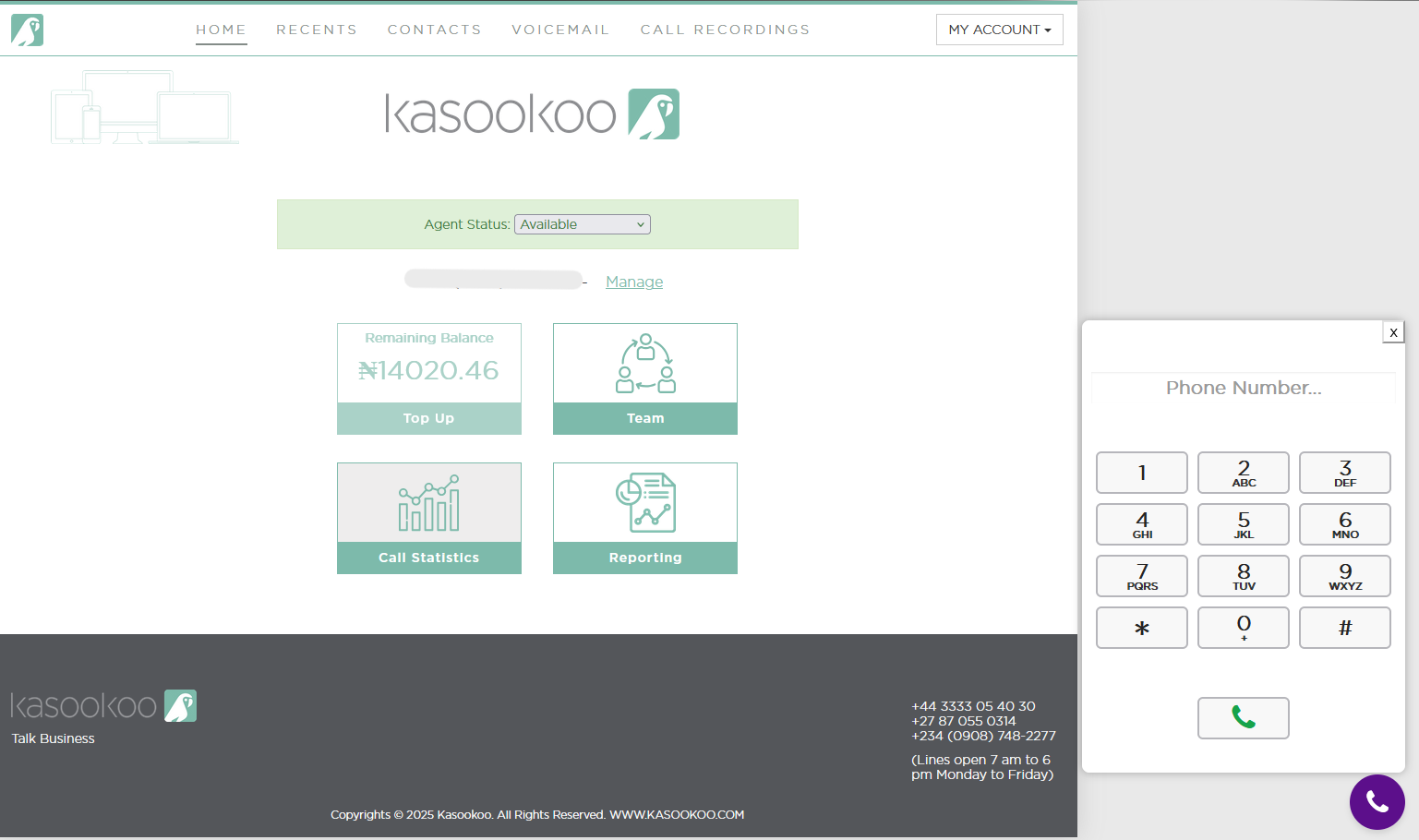
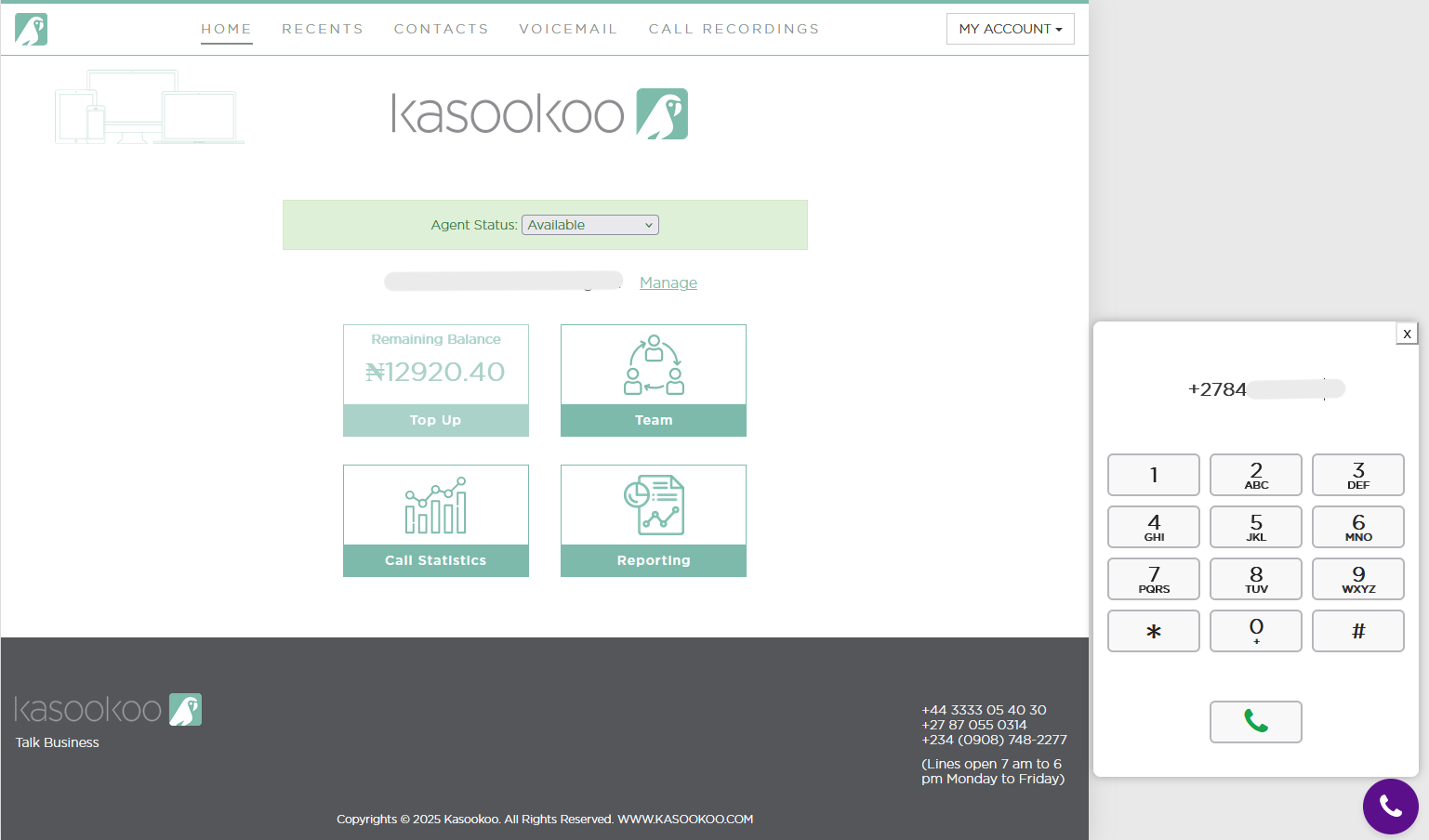
1️⃣ Input the number
On the keypad, enter the number you wish to dial — include the country code at the start.
2️⃣ Click the Dial button
Press the Dial button to place the call.
3️⃣ Call status updates
➡ The dialler will display the following messages as the call progresses:
"Starting Audio Call" — your call is being initiated.
"Ringing" — the call is ringing on the client’s side.
"Call in Progress" or "Session in Progress" — the call is successfully connected.
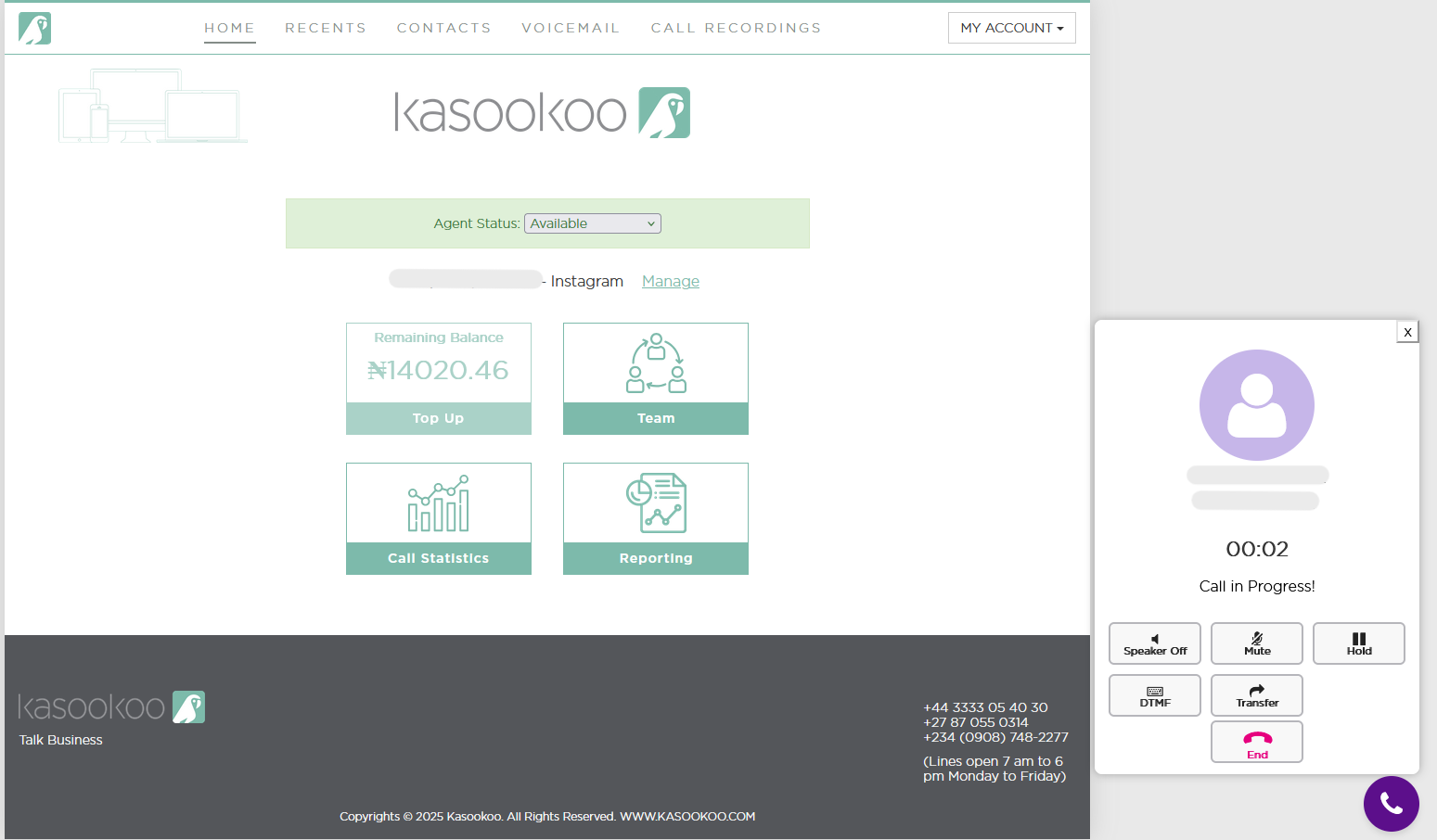
4️⃣ In-call controls
While on the call, you will have access to standard call controls:
Speaker Off: Toggle speaker on/off for hands-free calling.
Mute: Mute your microphone during the call.
Hold: Place the caller on hold.
DTMF (Dual-Tone Multi-Frequency)/ Keypad : Send dial tones (useful for navigating automated menus during a call).
Transfer : Transfer the active call to another number or extension. - Attended and Blind Transfers
End : End the call.
Updated about 1 year ago