
Configure Voicemail
1️⃣ Log In
Log in to your Kasookoo Dashboard
2️⃣ Navigate to
Incoming Call Settings
3️⃣ Configure Voicemail Action
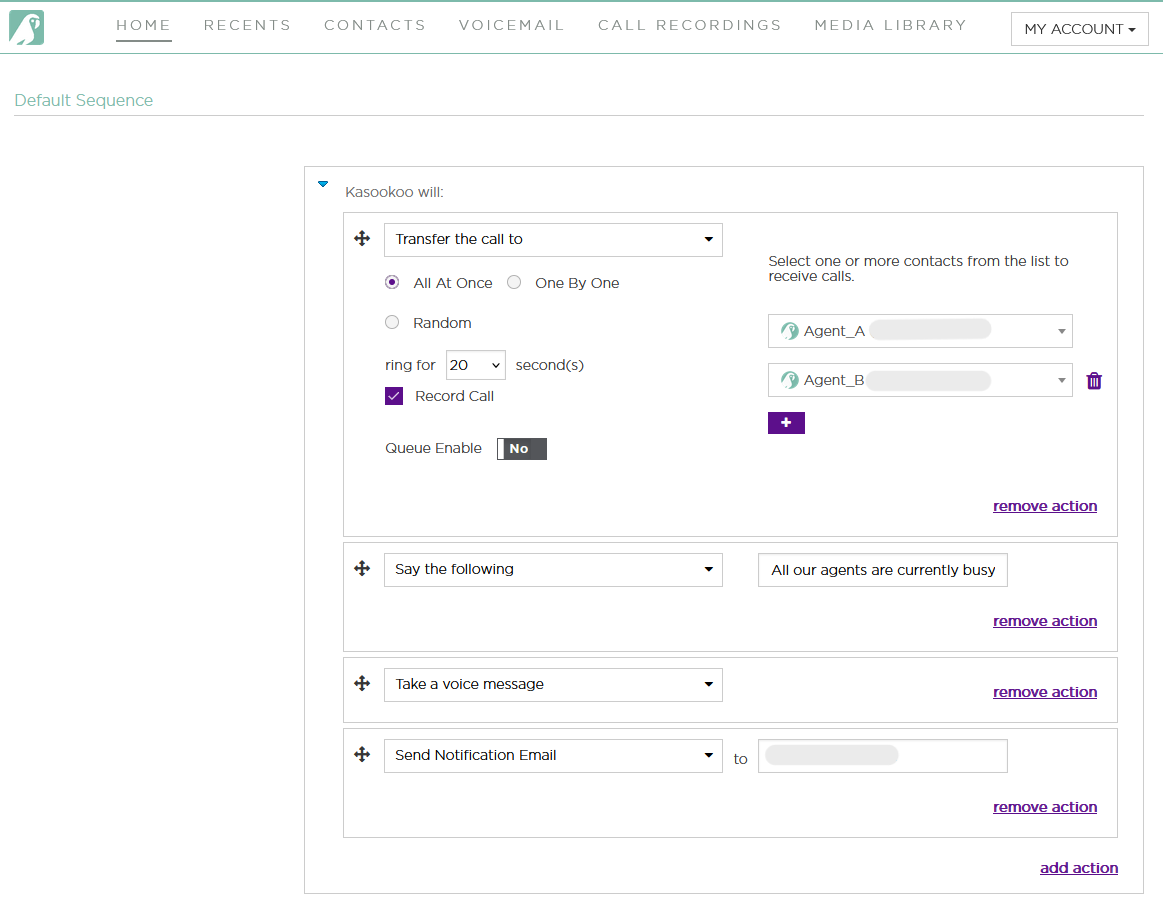
Once your Default Call Queue or Department Routing is set up:
Click “Add an Action”
Select “Take a Voice Message” from the action list
4️⃣ Enter Notification Email
Provide the email address where voicemail alerts should be delivered.
5️⃣ Save
Click Save at the bottom of the screen to apply your voicemail setup.
✅ That’s it! Now, if no agents are available, callers can leave a voice message and you’ll receive it via email.
Let me know if you'd like this as a printable setup sheet or team training slide.
Updated about 1 year ago
Did this page help you?