
Upload Audio Files
🎵 How to Upload Audio Files on Kasookoo
1️⃣ Log in to Your Kasookoo Dashboard
Navigate to: www.kasookoo.com/login
2️⃣ Go to the “Media Library”
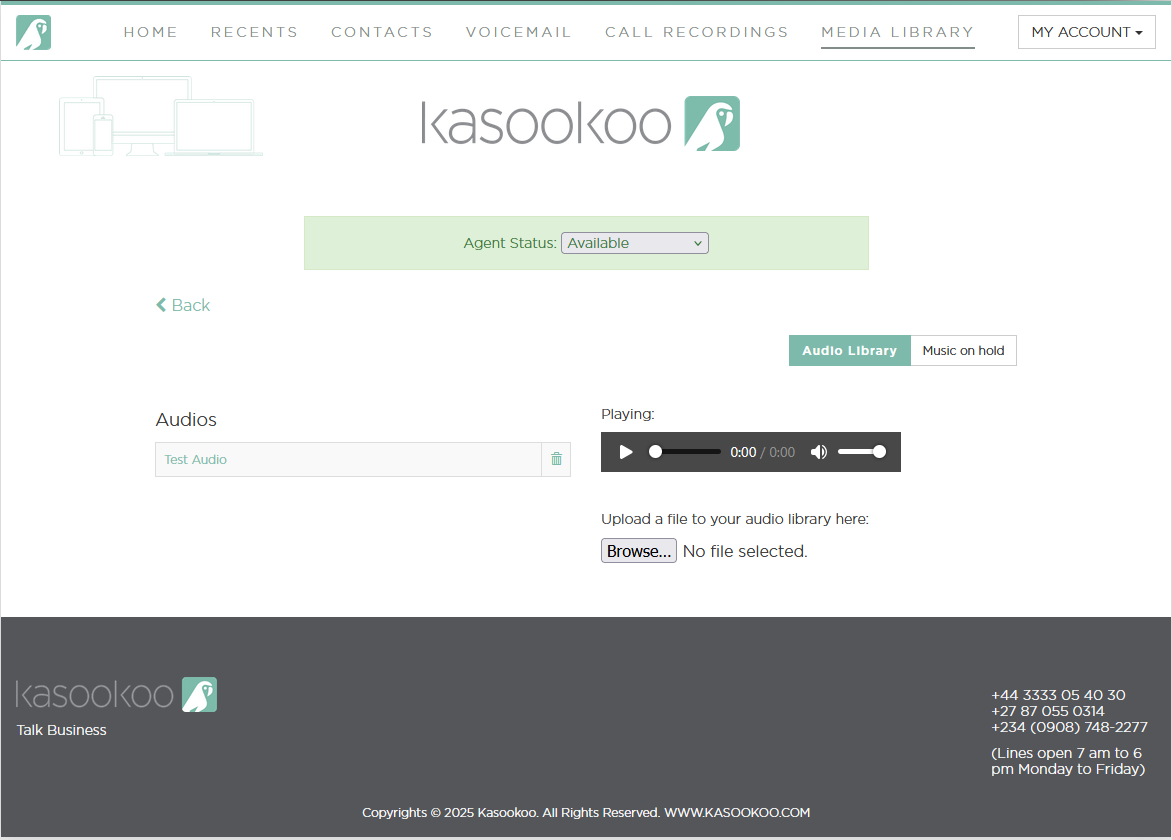
3️⃣ Upload a Custom Greeting
Under the Audio Library section:
Click Upload
Select your pre-recorded greeting file
This greeting will be played when customers call your business
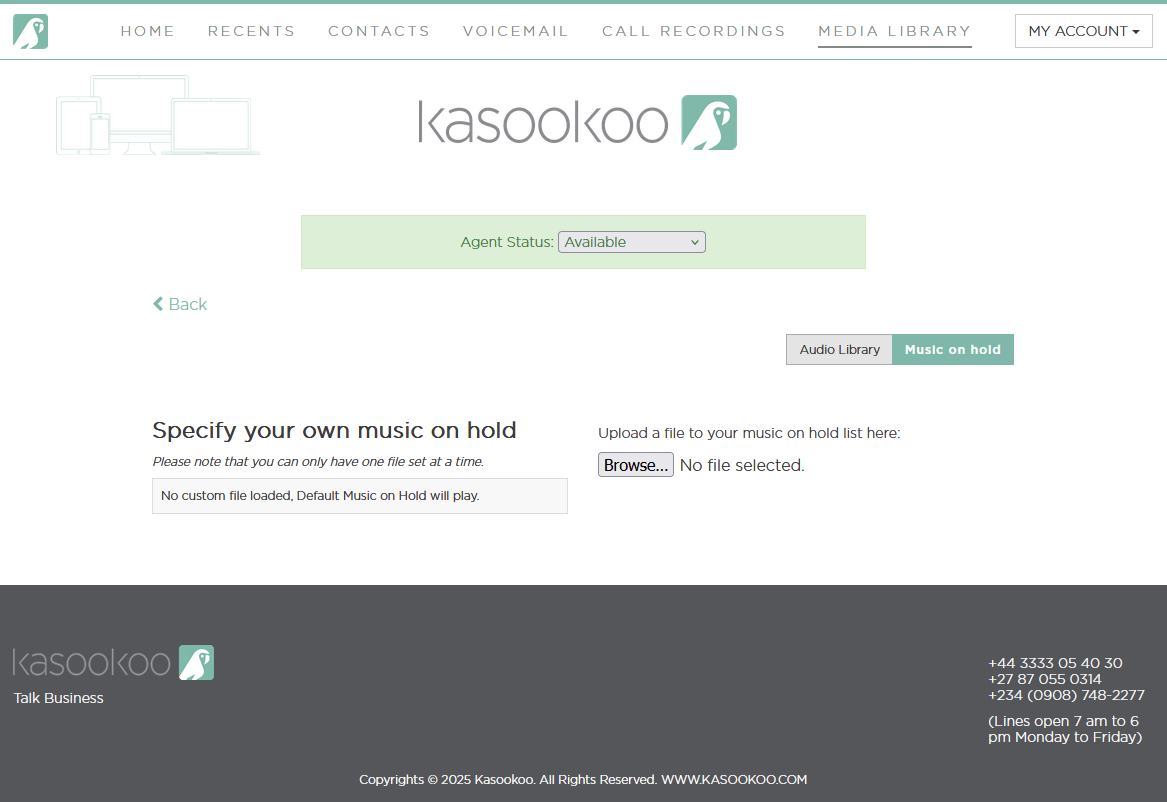
4️⃣ Upload Music on Hold
Under the Music on Hold section:
Upload an audio file to be played while callers wait in a queue
Recommended: Instrumental or looped music with clear audio
✅ Tip:
Once uploaded, these files can be assigned to IVRs, call queues greetings from your Incoming Call Settings.
Updated about 1 year ago
Did this page help you?