
How can I see my calls history?
Detailed Call Information: For more in-depth insights:
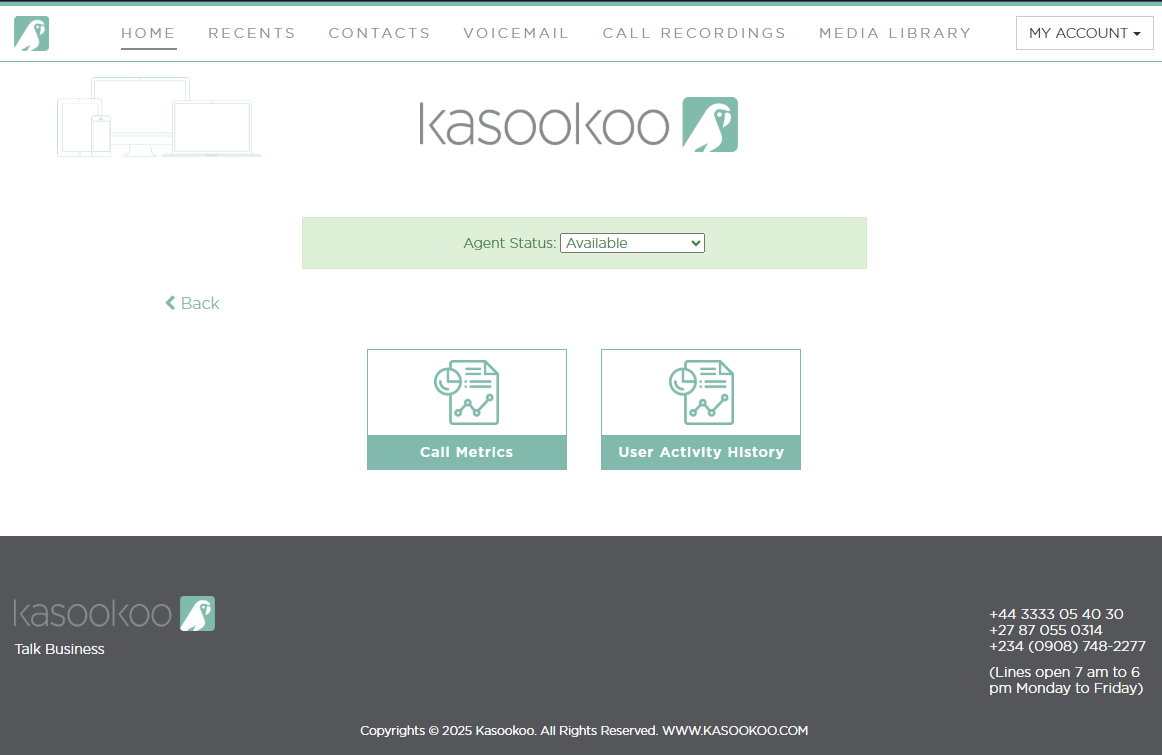
1️⃣ Go to Reporting > Call Metrics
In your Kasookoo platform, navigate to Reporting, then select Call Metrics.
2️⃣ Choose call type
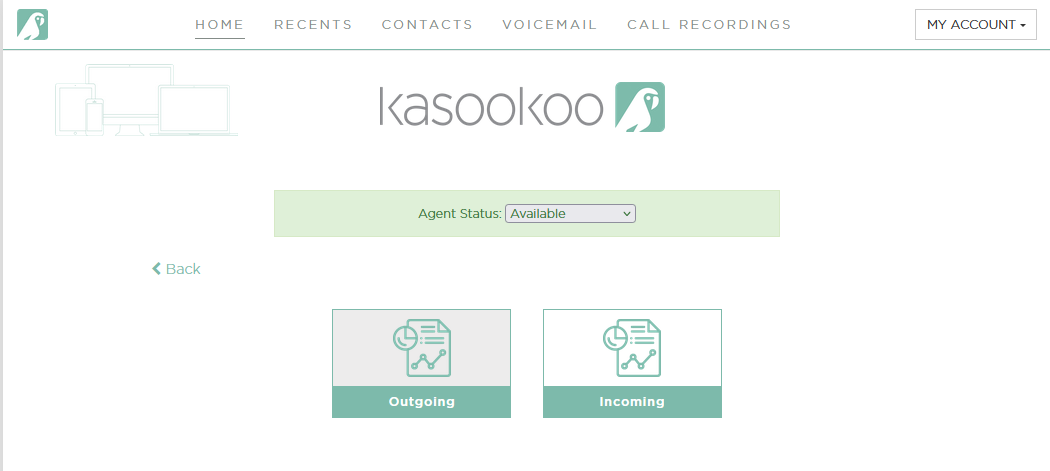
Select either:
Incoming Calls — to review inbound call data
Outgoing Calls — to review outbound call data
3️⃣ Filter by date range
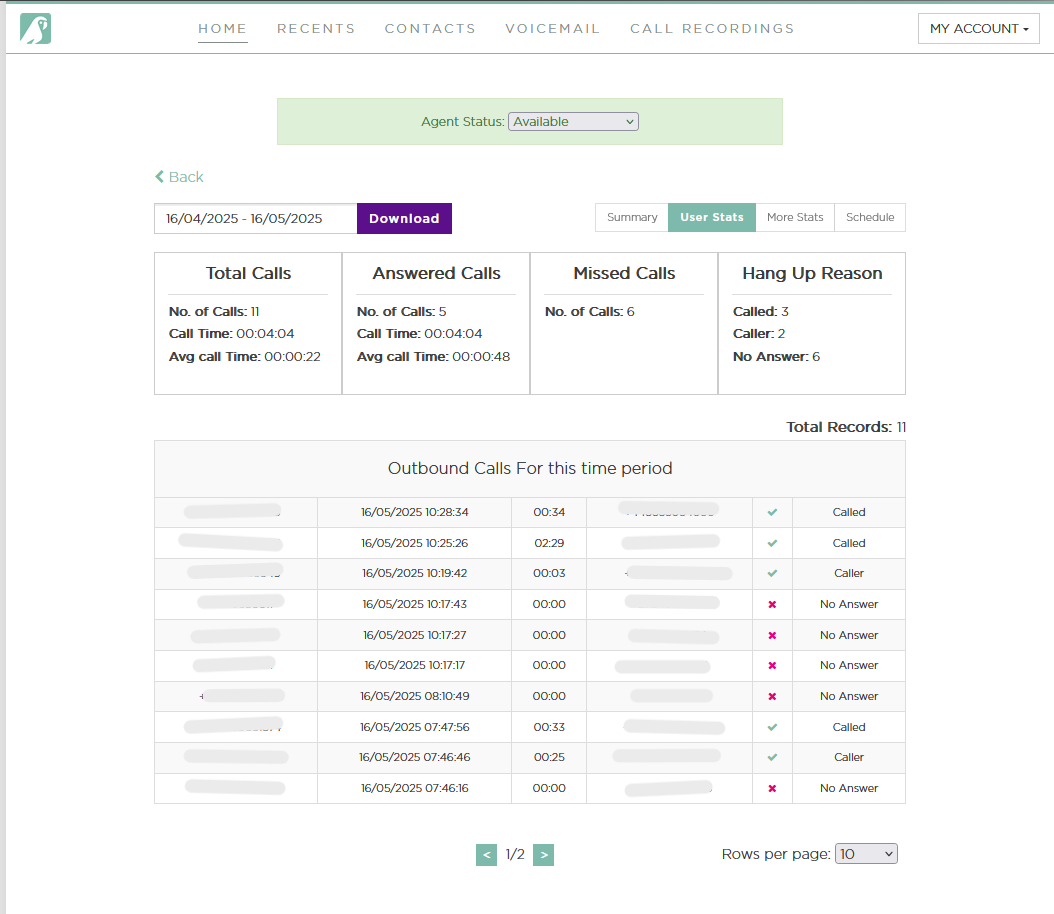
You can filter the data for a specific date range.
➡ By default, the system displays statistics for the last 30 days.
4️⃣ Views
The Outgoing Calls View shows detailed stats for your outbound calls.
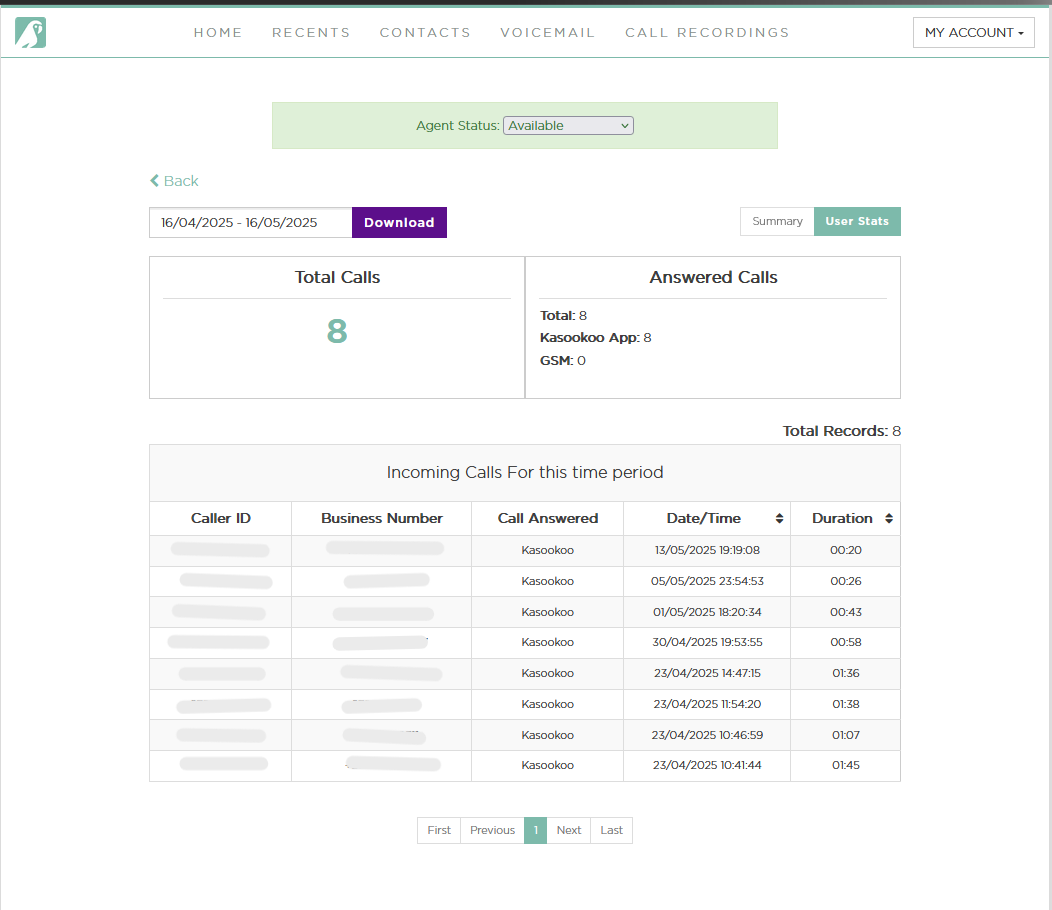
The Incoming Calls View shows detailed stats for your inbound calls.
Updated about 1 year ago
Did this page help you?