
Dashboard
The Kasookoo dashboard is the central hub where users can monitor and manage their call system activities.
Dashboard Overview
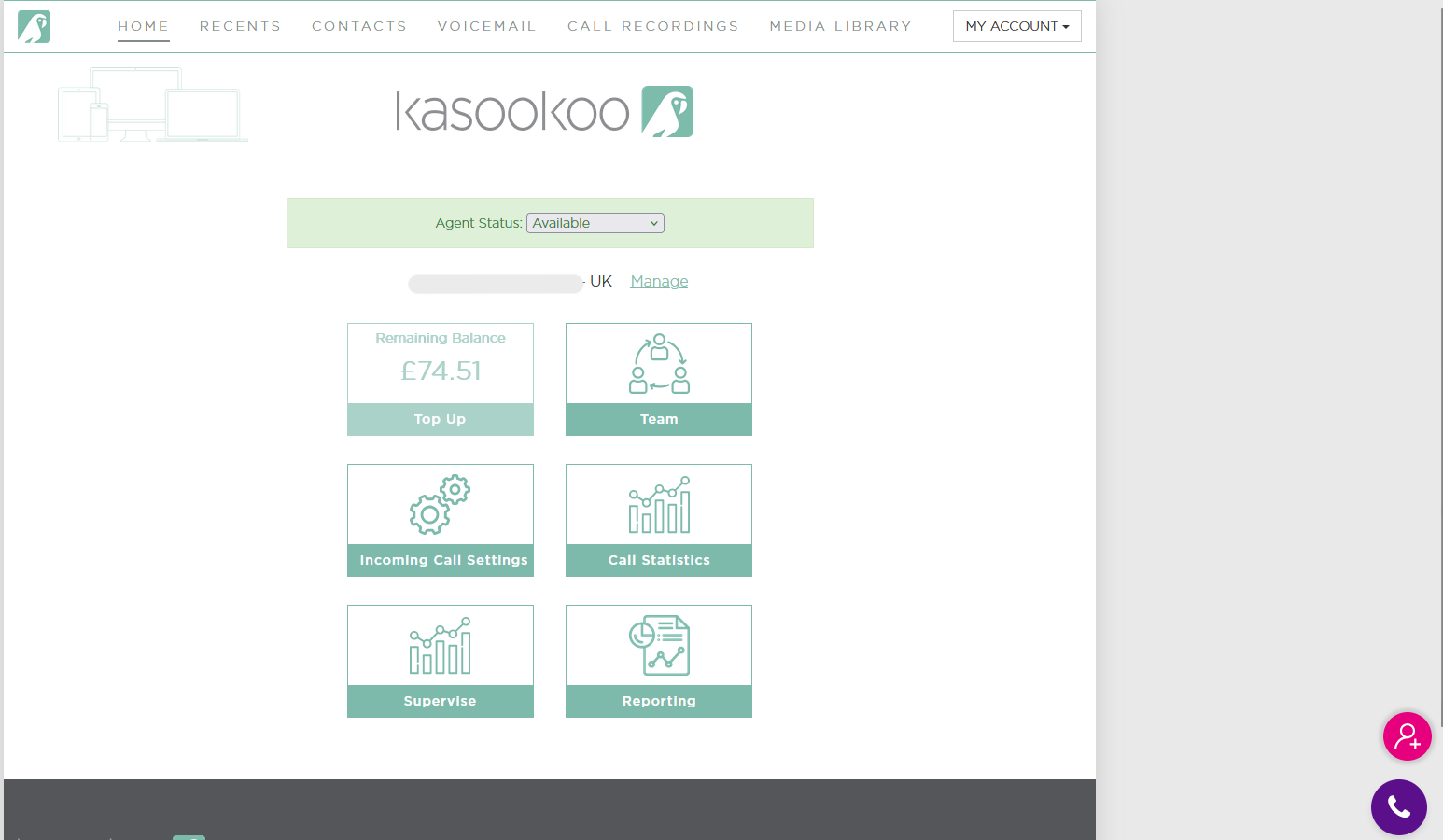
The Kasookoo dashboard provides a central hub to manage users, calls, and team activities. Here's a breakdown of the key interface elements:
1️⃣ Navigation Bar (Top of the dashboard)
Quick access to core sections of the system:
Home – Return to the main dashboard
Recent – View recent call logs
Contacts – Manage your saved contacts
Voicemail – Access and manage voicemail messages
Call Recordings – Review and download call recordings
Media Library – Upload or manage audio files and media
My Account – Manage user account settings and preferences
2️⃣ Agent Status
Shows your current availability (e.g., ✅ Available)
Click the dropdown to switch between statuses like Busy, Away, or Do Not Disturb
3️⃣ Account Balance
Displays your remaining call credit (e.g., £74.51)
Use the Top Up button to add funds instantly
4️⃣ Quick Access Buttons (Below balance section)
Easily access key features
Team – View and manage team members
Incoming Call Settings – Set up call routing and call queue rules
Call Statistics – Monitor performance and call volume
Reporting – Generate detailed reports on inbound/outbound activity
Supervise – Monitor team calls and agent activity in real time
5️⃣ Support & Assistance (Bottom-right corner)
Two floating icons provide instant help:
🔍 Pink Plus Icon – Add users to the account
📞 Purple Phone Icon – Initiate calls directly from the dashboard
Updated about 1 year ago