
How to Change Business numbers
☎️ How to Change Your Business Number on Kasookoo
1️⃣ Log in to the Kasookoo Portal
Go to www.kasookoo.com/login and log in with your credentials.
2️⃣ Locate your current business number
On the Dashboard, find your current Business Number displayed.
3️⃣ Click Manage
Next to your number, click the Manage button.
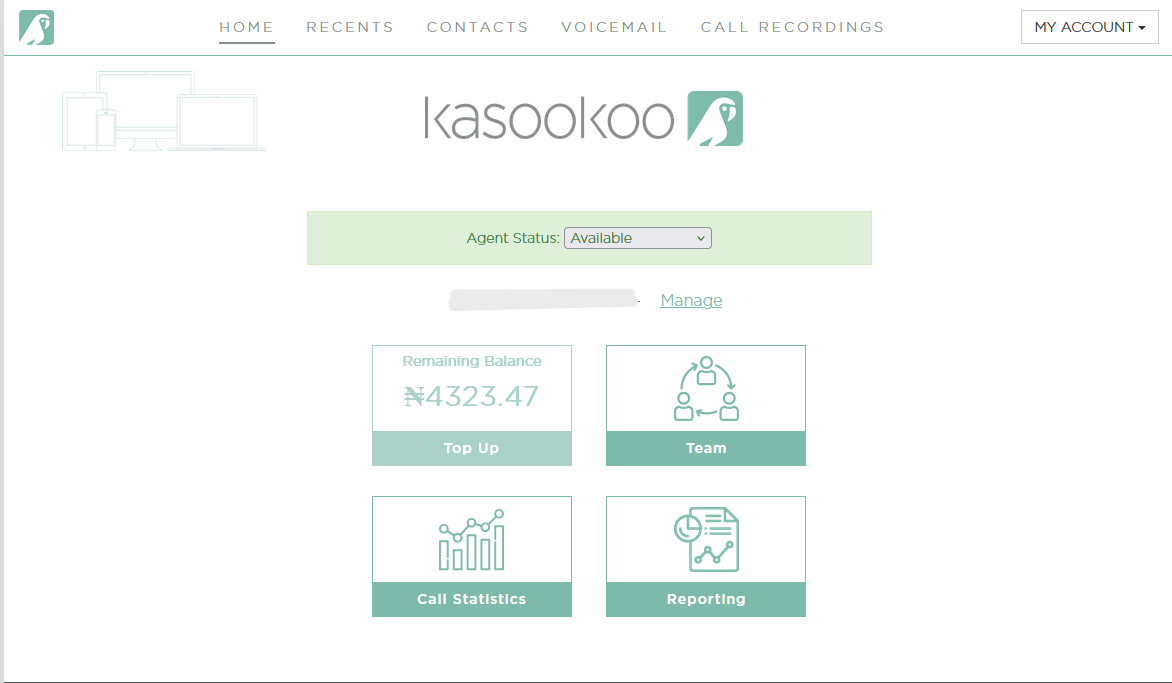
4️⃣ Choose a new business number
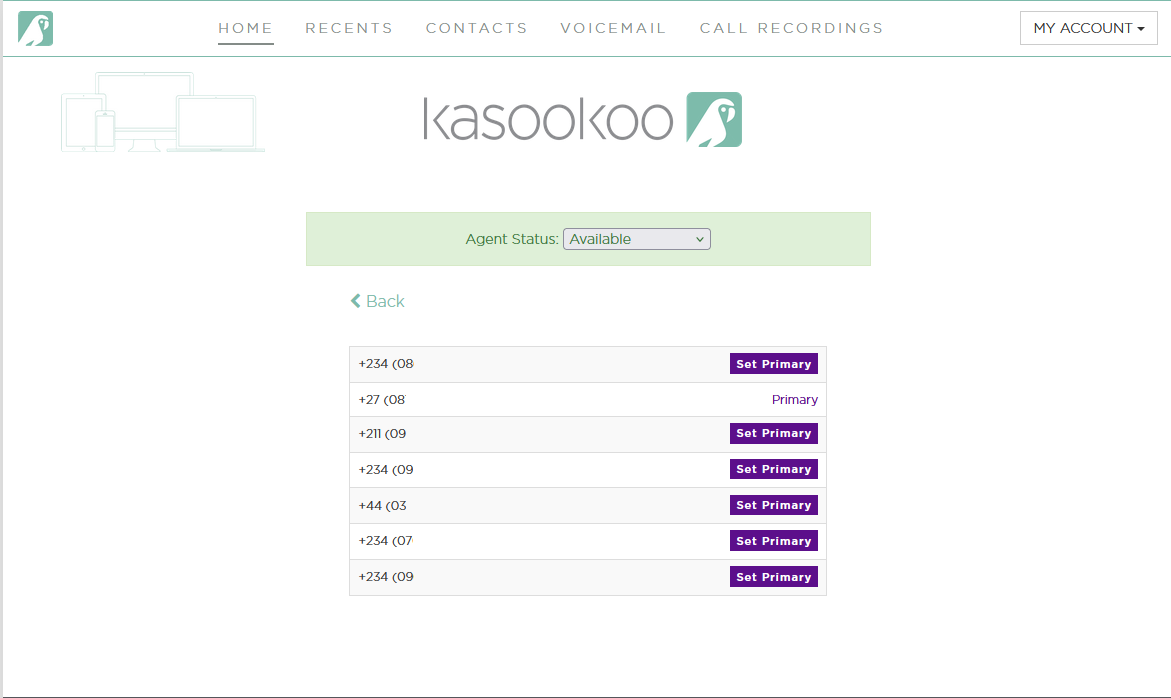
A list of available business numbers will appear.
➡ Select your preferred number from the list. - Set Primary
5️⃣ Confirm change
The system will update your account — your new number will now be used for outgoing calls.
Updated about 1 year ago
Did this page help you?