
Enable and disable call recording
📥 Incoming Call Recordings
✅ Steps to Enable:
1️⃣Log in to your Kasookoo Dashboard
2️⃣Navigate to Incoming Call Settings
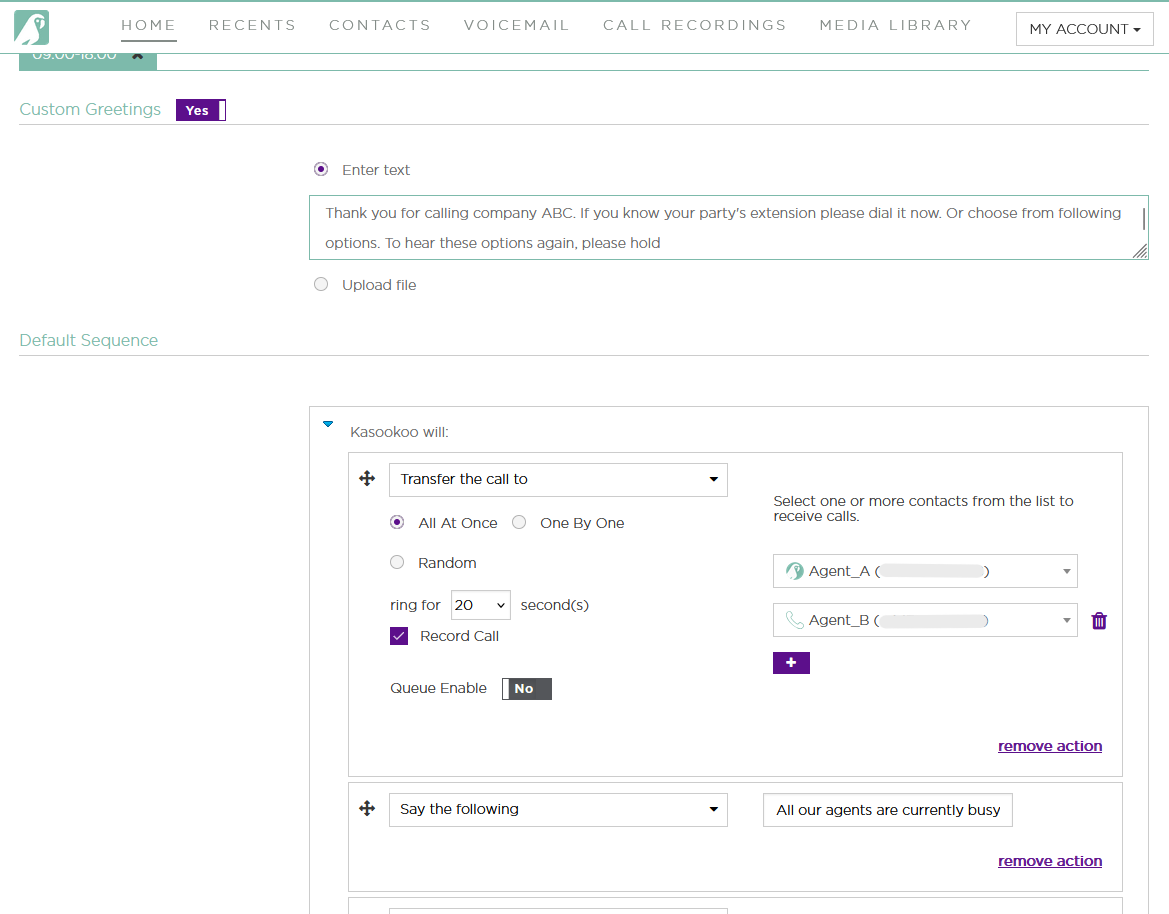
3️⃣When adding agents to the incoming call queue,
✅ Tick the checkbox labeled “Enable Incoming Call Recording”
4️⃣Scroll to the bottom and click “Save” to apply the settings
Outgoing Call Recordings
🔧 Steps to Enable:
1️⃣Go to the Call Recordings tab
2️⃣Select Call Recording Settings
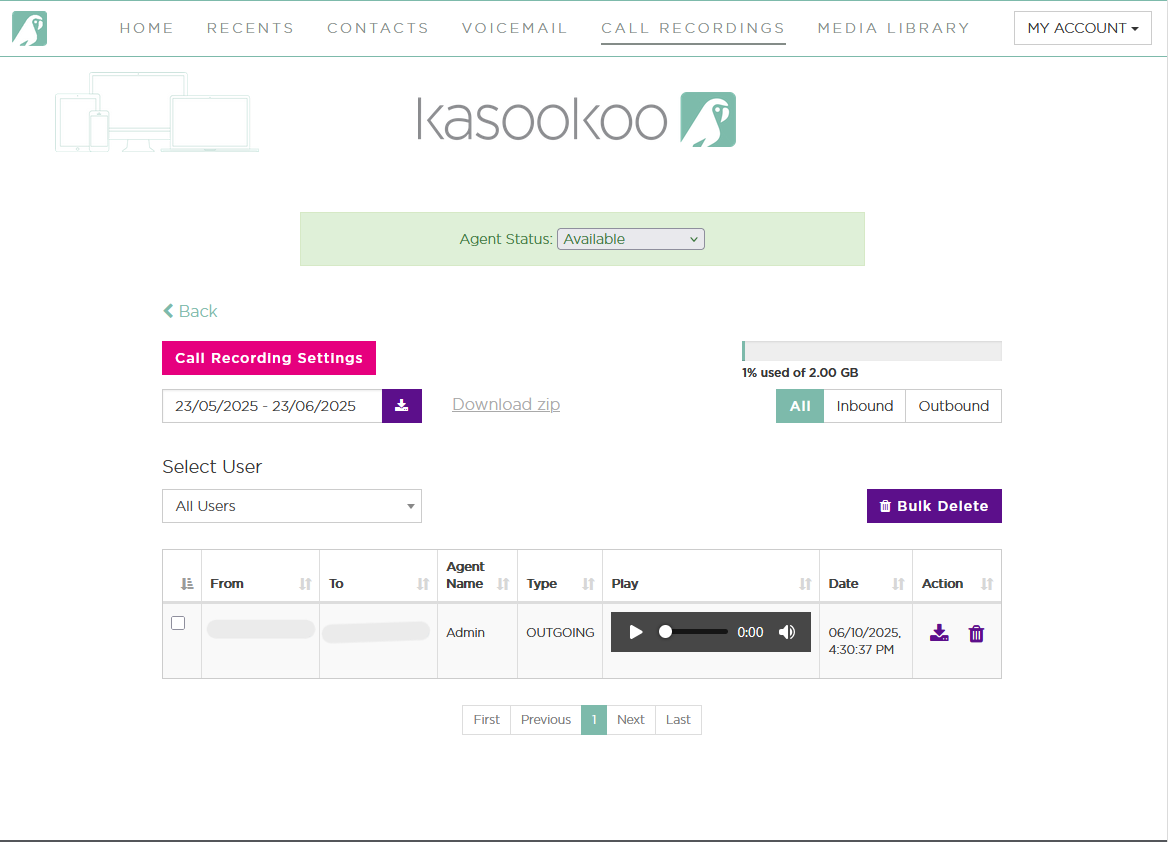
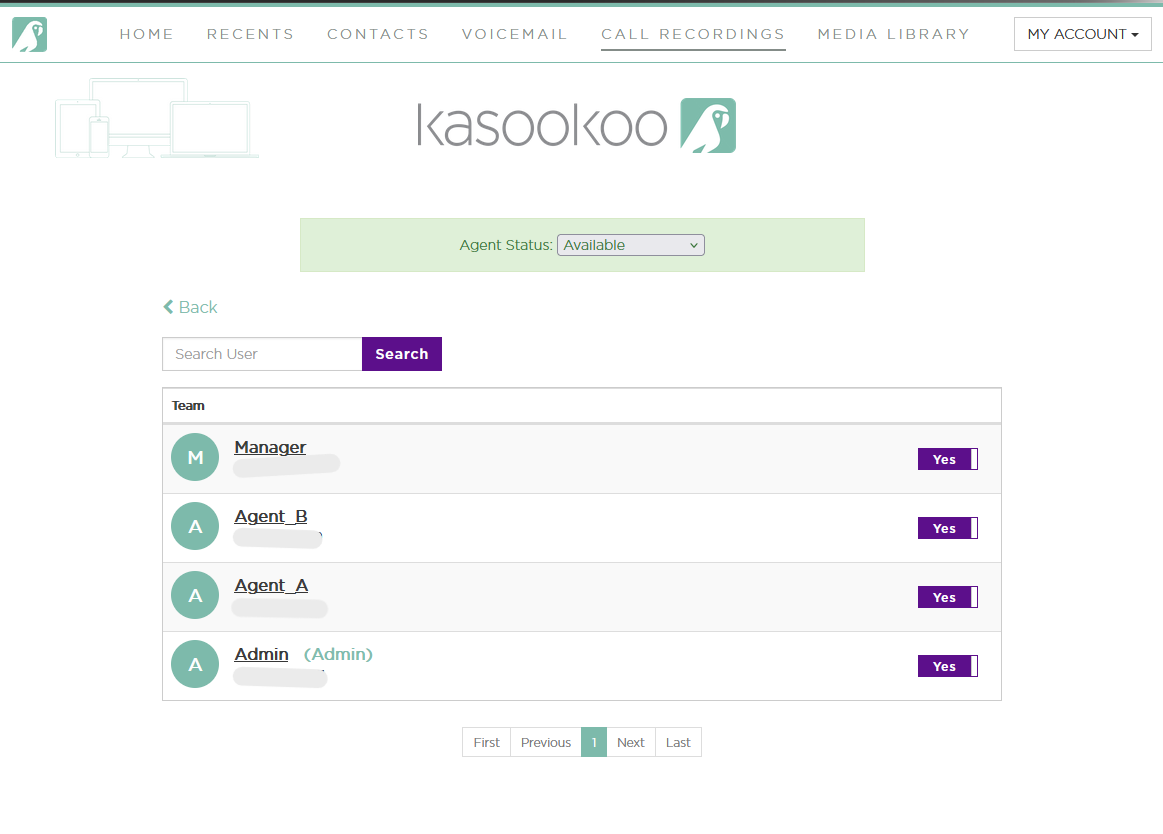
3️⃣From here, you can control which agents have their outbound calls recorded
✨ Key Features:
✅ Enable/Disable Recording for Specific Agents
Choose exactly which users' outbound calls are recorded
⚙️ Customizable Settings
Adjust based on compliance, data retention, or quality monitoring policies
Updated about 1 year ago
Did this page help you?