
Set Open Hours
1️⃣ Select “Incoming Call Settings”
From your Kasookoo Dashboard, go to:
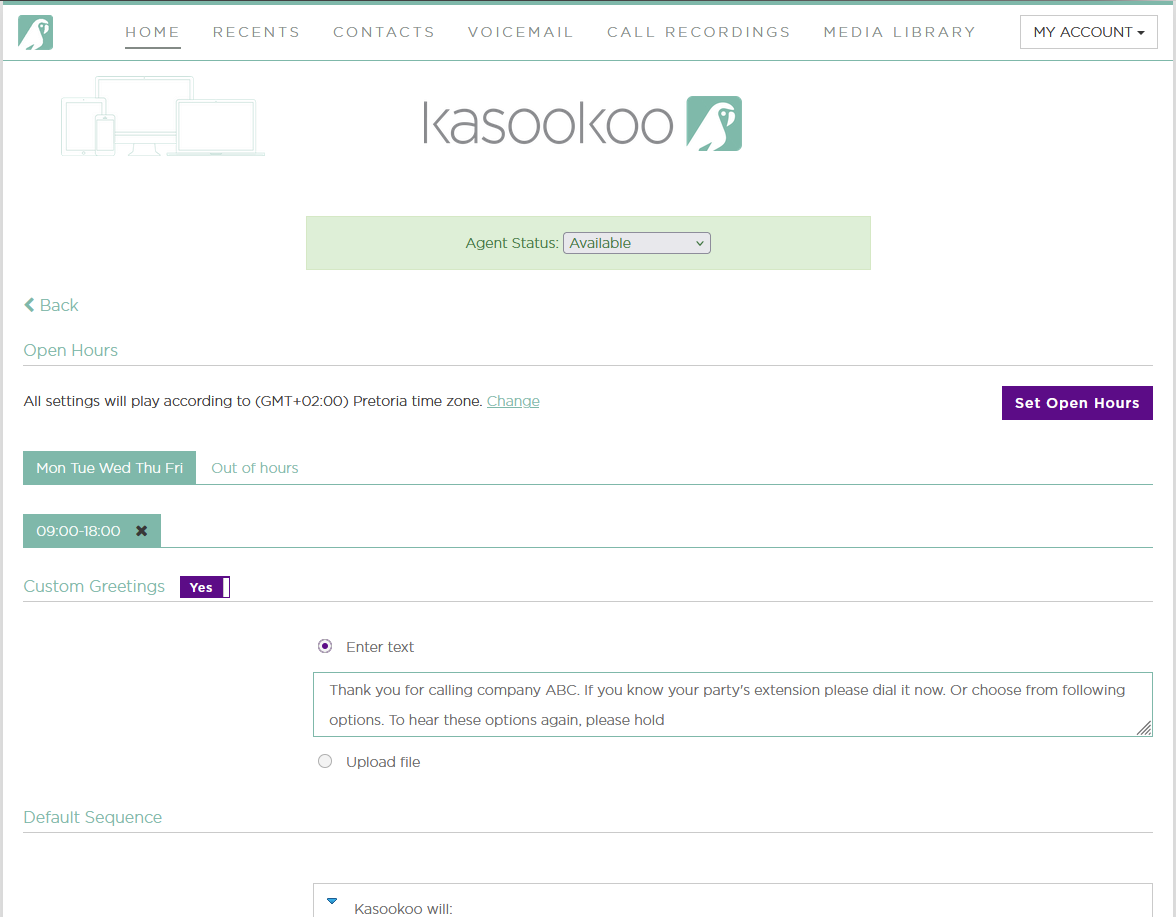
2️⃣ Click “Set Open Hours”
This allows you to define when your system should accept calls.
3️⃣ Choose your schedule format:
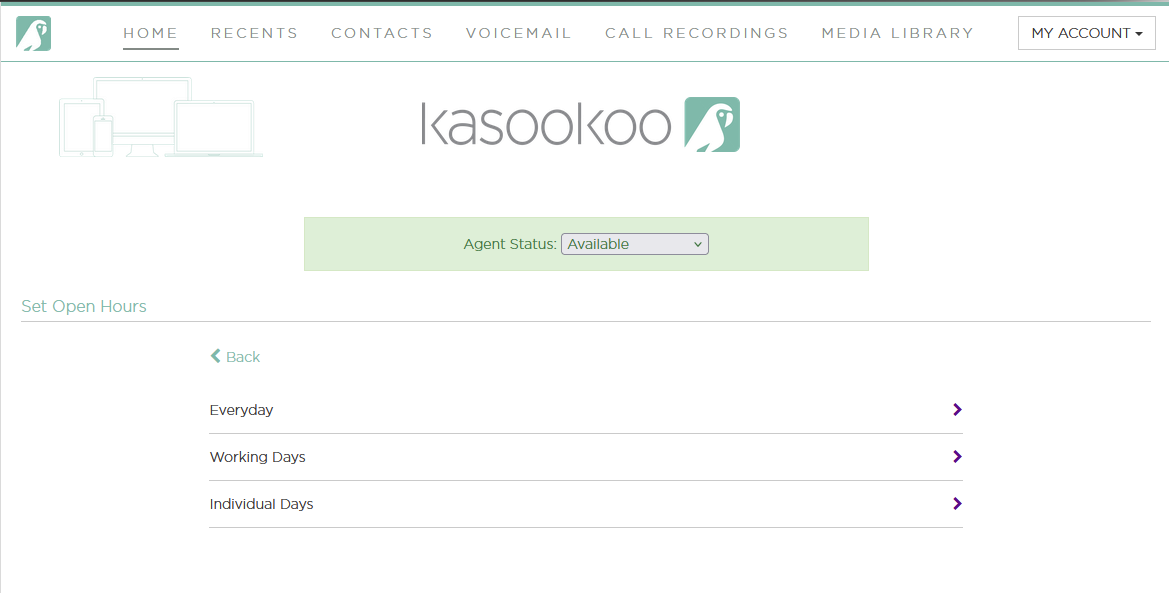
📅 Everyday — Same hours for all 7 days
🏢 Working Days — Standard hours Monday to Friday
🗓️ Individual Days — Customize hours per day based on your specific schedule
Once you've set your preferred open hours, your IVR/Call Handling Rules will only apply within that time frame.
Updated about 1 year ago
Did this page help you?